AI Meeting Scheduler
That Puts Your Time First
Synced automatically finds meeting times that work for everyone—no more back-and-forth— across companies, across time zones, and across Google and Microsoft Teams.
Schedule cross-stakeholder, cross-company, and cross-platform meetings in a few clicks, not a few emails.
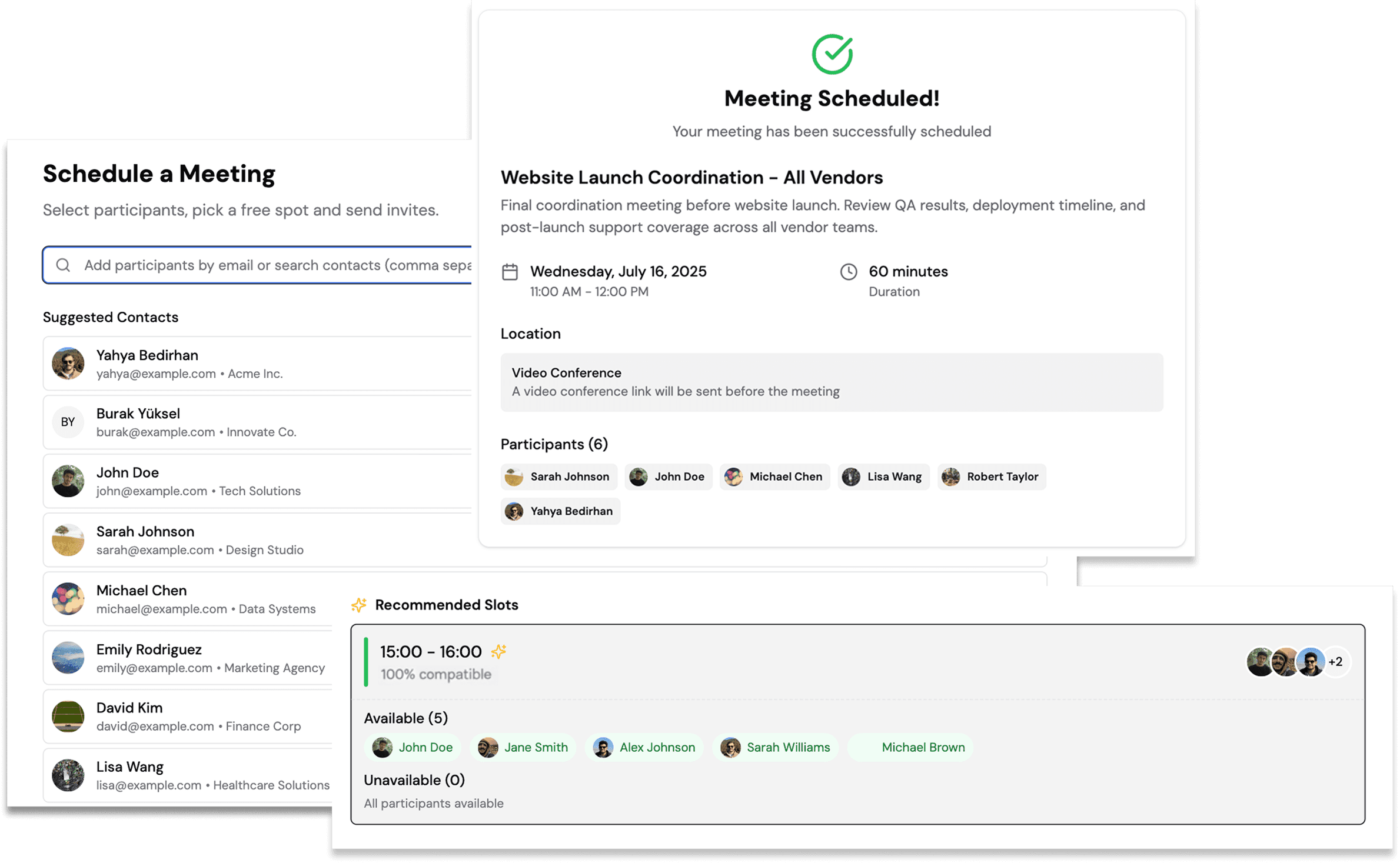
The Manual Way
Before Synced
Endless back and forth
“Can your 4 people do Thursday?” Wait 2 days… “No, but Friday works.” Check again… “Actually, Friday’s bad now…”
Timezone calculation nightmare
Manually converting New York, London, and Tokyo times while second-guessing every calculation
Zero visibility into availability
Proposing times and waiting
Fragmented communication chaos
Information scattered across email threads, calendar invites, and individual responses—impossible to track
The Synced Way
AI-powered coordination
Trusted contact bridge
Organization B accepts request once, scheduling access established for all future meetings
AI handles timezone math automatically
Finds optimal times across all locations, displays local times for each participant
Real-time availability — regardless of Google or Teams
See everyone’s open slots instantly across both organizations
Single source of truth
All scheduling happens in one place, complete visibility for everyone involved
Instant conflict detection
AI prevents scheduling errors before they happen, not after
One-click scheduling
Select participants, AI finds best time, meeting scheduled—all in under a minute
Schedule Smart & Save Time.
Stop wasting hours on scheduling coordination. Synced's AI finds the best meeting times by checking everyone's availability first, reducing conflicts and maximizing productivity for lasting business relationships.
Find Times Fast
AI analyzes all participants' calendars to suggest optimal meeting times instantly.
Cross-Company Magic
Connect calendars from different organizations without revealing private meeting details.
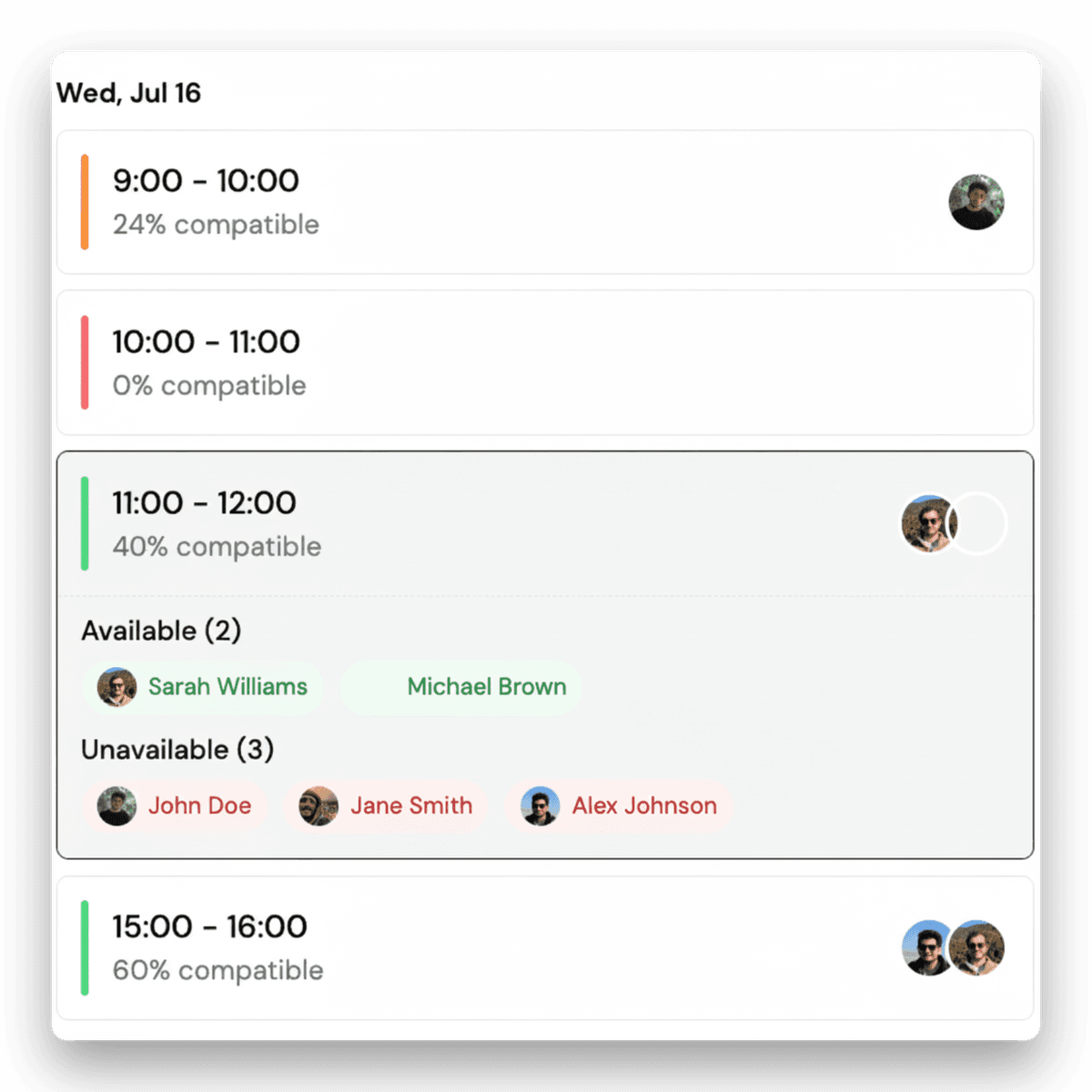
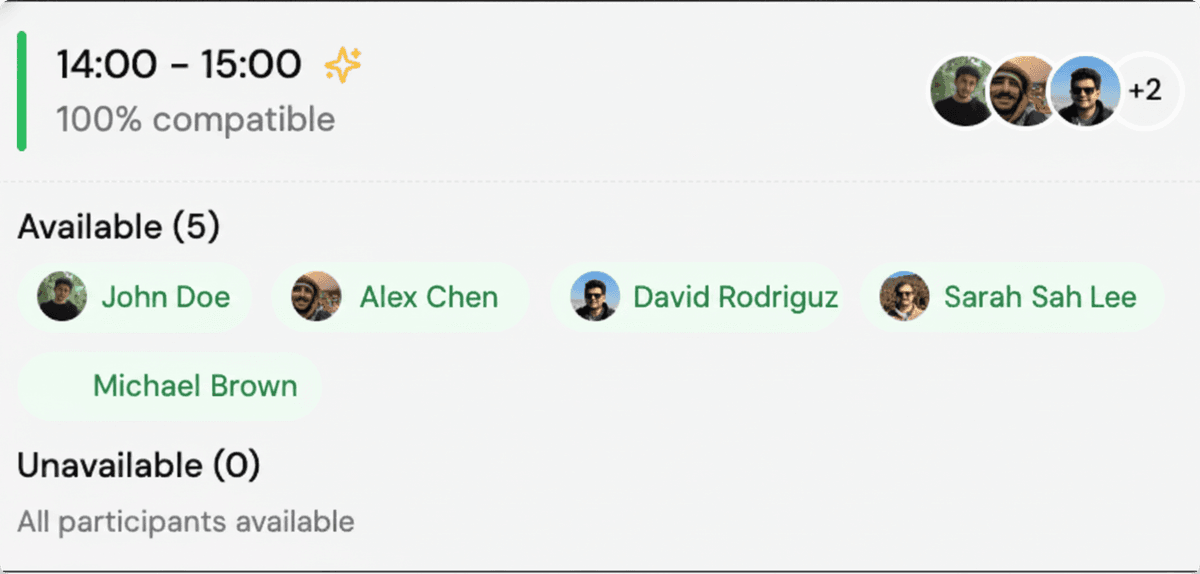
Take Full Control Of Your Meeting Scheduling.
Simplify and streamline your scheduling process for better control, accuracy, and efficiency across organizations.
Schedule meetings with easy-to-use, intuitive tools designed for cross-company efficiency.
Ensure accuracy and maintain full control over your calendar with real-time availability tracking.
Boost efficiency and streamline all scheduling processes effortlessly for better client relationships.
Connect and coordinate your team's external meetings.
Stay on top of your team's external meeting coordination by tracking availability, preferences, and scheduling patterns.
Easily coordinate your team's external meetings to ensure everyone stays productive.
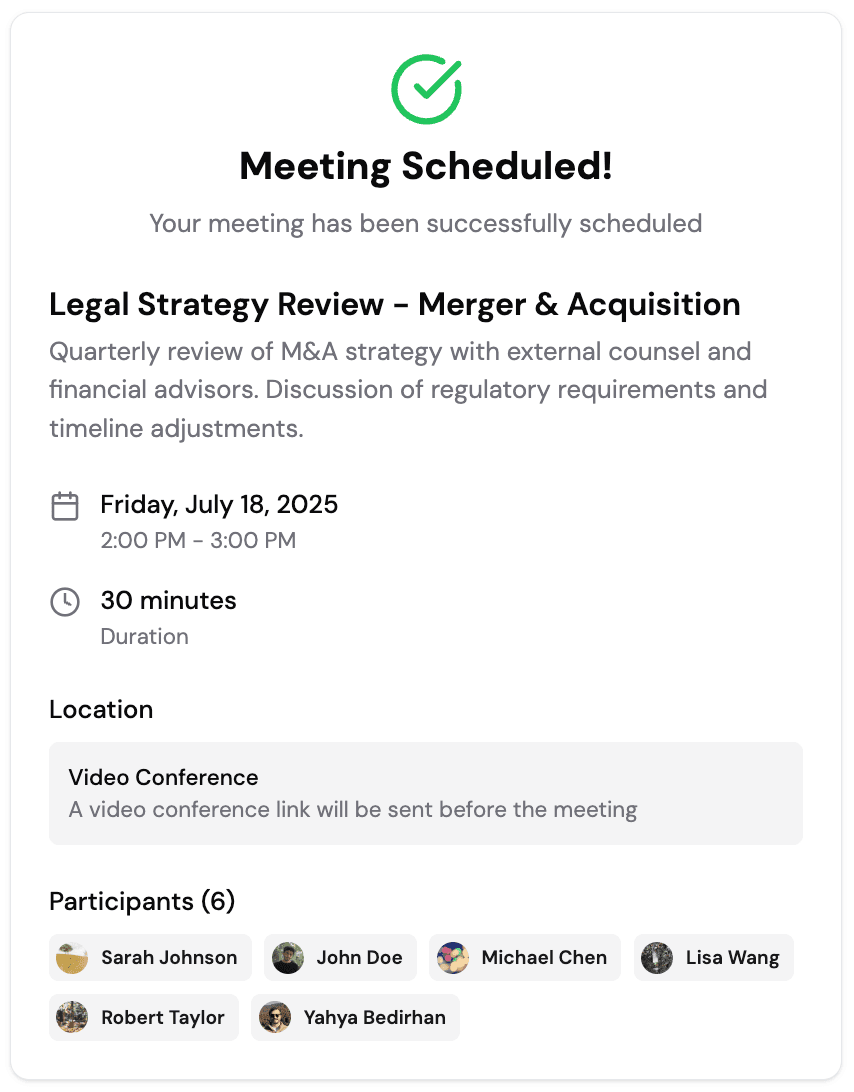
FAQs
What is Synced?
Synced is an AI‑powered scheduling platform designed for modern teams that work across organizations, departments, and calendar systems. Synced connects directly with Google and Microsoft calendars to coordinate availability across internal teams, external partners, and multi‑company groups—without endless emails or scheduling links.
What is a Trusted Contact?
A Trusted Contact is another Synced member with whom you share a trusted calendar connection. Once someone is a Trusted Contact, you can see their availability—and they can see yours—making it easy to schedule meetings without the usual back‑and‑forth.
Trusted Contacts are ideal for people you meet with frequently, especially across organizations. Instead of emailing to ask, “What’s everyone’s availability?”, you can simply log into Synced and schedule a meeting in seconds. The more Trusted Contacts you have, the more people you can easily invite to meetings. For example, if you regularly collaborate with a project team at another company, and everyone on that team has a Synced account and is a Trusted Contact, you can schedule a group meeting instantly.
How do I add a Trusted Contact?
- Go to Settings → Permissions
- Add the email addresses of the people you want to trust
- They’ll receive an invitation to become a Synced user and Trusted Contact
Good to know: If you meet with someone using Synced, they automatically become a Trusted Contact.
What are the different ways I can use Synced?
Synced is flexible by design. You can use it in several ways depending on who you’re meeting with and how often you collaborate.
1. Share your availability
Click “Share Availability”, copy your meeting link, and send it via email or chat. The recipient can instantly see your availability and book time with you.
2. Share your team’s availability
Add teammates’ email addresses as participants and click “Share Meeting Availability.” The recipient will see overlapping availability for the group.
Note: teammates must have a Synced account.
3. Schedule instantly with other Synced users
When both you and the people you’re meeting with use Synced, a trusted bridge is created—allowing you to securely view each other’s availability and schedule meetings in just a few clicks.
For multi‑person, cross‑organization meetings, having both teams on Synced unlocks the full experience.
Do I need to use the same calendar platform as the people I’m meeting with?
No. Synced works across Google Calendar and Microsoft Outlook/Teams. Everyone can keep using their preferred tools—Synced handles the coordination.
Who can see my availability?
Only people you explicitly share availability with or designate as Trusted Contacts can see your availability. Synced does not expose event details—only what’s needed to schedule efficiently.
Is Synced only for large teams?
Not at all. Synced works for one‑on‑one meetings, client calls, small teams, and large multi‑organization projects. Whether you’re coordinating two people or twenty, Synced scales with you.
What happens after I meet someone using Synced?
If you meet with someone through Synced, they automatically become a Trusted Contact—making future scheduling even faster.